



Let’s face it – we’re glued to our screens more than ever, and figuring out how to reduce screen time has become a modern-day necessity. The average adult clocks in over seven hours daily staring at devices, often without realizing the toll it takes. Here’s the thing: reclaiming your time isn’t about ditching technology altogether, but rather learning to use it smarter. This guide breaks down practical ways to establish healthier digital habits that actually stick.
Whether you’re battling phone addiction or just want better balance, these strategies can help you take charge. Think of it as a digital declutter – keeping what serves you and cutting out what doesn’t.

Why Reducing Screen Time Matters in 2026
The effects of too much screen time are hard to ignore. According to the World Health Organization, prolonged device use leads to eye strain, sleep issues, and less physical activity. Mental health experts are also seeing strong connections between excessive screen use and rising anxiety and depression rates.
Here’s the kicker: our brains weren’t built for constant notifications and endless scrolling. Many of us find it harder to focus, get less done, and even struggle in our relationships because of it.
The physical impact is just as concerning. Sitting for hours increases obesity and heart disease risks. Plus, the blue light from screens messes with melatonin, making it tougher to get quality sleep.
It’s not just individuals either. Families are talking less during meals, and kids are picking up these habits from their parents. But here’s the good news: small changes can make a big difference. People who manage their screen time better often report better moods, improved sleep, and stronger connections with others.
Understanding Your Current Screen Time Habits
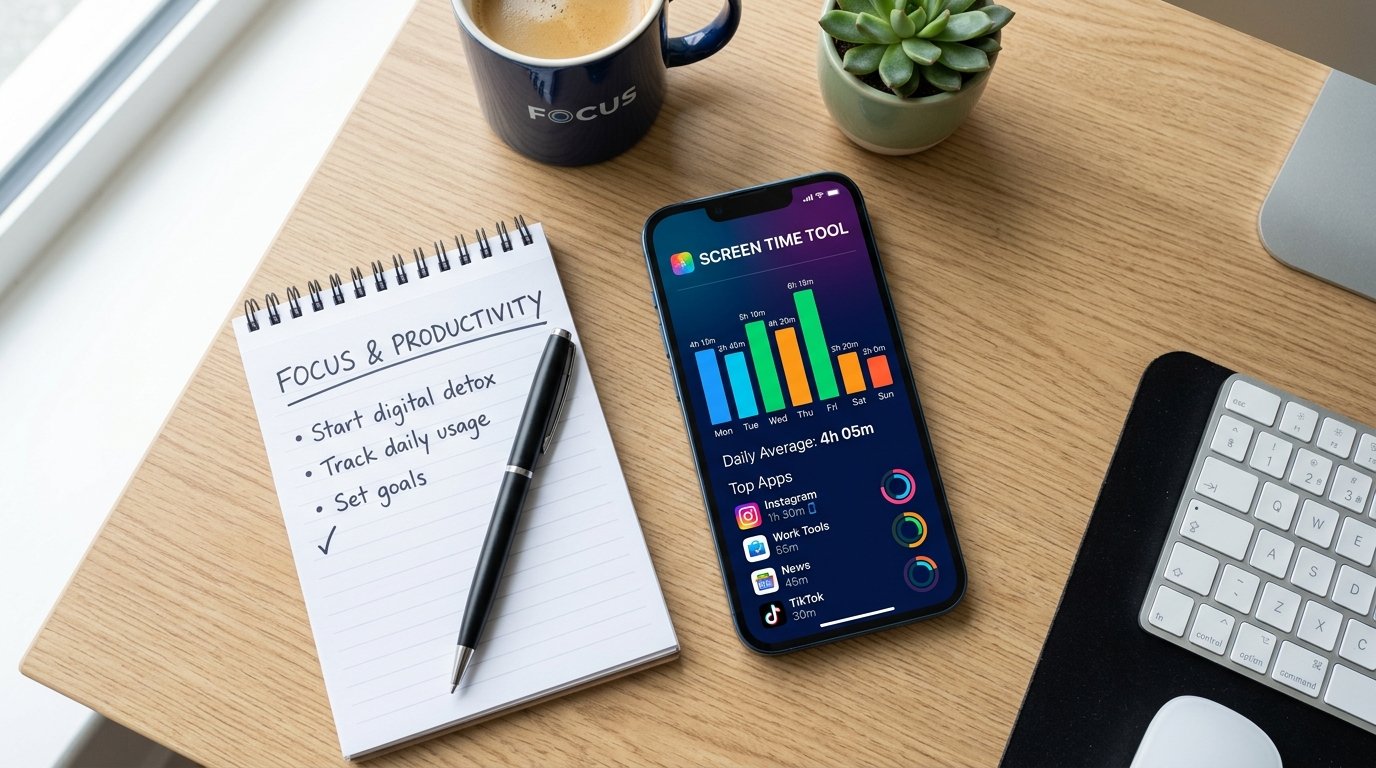
Before making changes, you need to know where you stand. Most phones have built-in tracking that shows exactly how much time you spend on each app. The results often surprise people – we tend to underestimate our usage.
Check your screen time report weekly and look for patterns. Do you grab your phone first thing in the morning? Scroll late into the night? Spotting these habits helps you tackle the root causes.
Try keeping a digital journal for three days. Write down every time you pick up your device and why. Common reasons include boredom, stress, habit, or FOMO. Knowing your triggers is key to managing screen time effectively.
Ask yourself some tough questions. Does scrolling through social media actually make you feel better? Are you using screens to avoid dealing with uncomfortable emotions? Understanding these emotional ties can reveal deeper patterns.
Many of us use screens out of habit rather than choice. Think about automatically opening social media when standing in line or watching TV while eating. These automatic behaviors eat up hours without adding real value.
It’s not just about how much, but what kind. Some screen time is productive – like learning new skills online. That’s different from mindless scrolling. Recognizing the difference helps you make better choices.
Practical Strategies to Cut Down Digital Usage
Ready to make some changes? Here are some proven methods to reduce your digital footprint. They take commitment, but the payoff is worth it.
Establish Phone-Free Zones
Pick specific areas where devices aren’t allowed. The bedroom should be your first phone-free zone. This simple change can do wonders for your sleep. Instead of scrolling before bed, try reading a book or practicing relaxation techniques.
Make mealtimes device-free too. Whether you’re eating alone or with others, focus on your food and company. It improves digestion and strengthens social bonds. And bathrooms? Keep them phone-free to break the constant connectivity cycle.
Implement Time Blocking
Set specific times for checking emails and social media. For example, limit these activities to three 20-minute blocks daily. Outside these windows, keep your phone on silent or in another room. You’ll notice fewer interruptions and better focus.
Time blocking works because it shifts you from reacting to planning. Instead of jumping at every notification, you control when and how you engage with digital content. This simple change reduces stress and boosts productivity.
Replace Digital Habits with Physical Activities
Here’s a truth: nature abhors a vacuum. Cutting screen time without replacing it usually leads to failure. So find alternative activities that give similar rewards.
If you usually scroll social media when bored, keep a book or puzzle nearby. Swap evening TV for walks, exercise, or hobbies. The idea is to replace passive screen time with active, enriching experiences.
Physical activities have extra benefits. Exercise releases endorphins that naturally boost mood, eliminating the need for digital dopamine hits. Plus, being outdoors has mental health benefits screens can’t match.
Use the 20-20-20 Rule
For unavoidable screen work, protect your eyes with this simple trick. Every 20 minutes, look at something 20 feet away for 20 seconds. It reduces eye strain and reminds you to take breaks.
Set a timer to stay consistent. During these mini-breaks, stand up and stretch. These short pauses increase overall productivity while reducing the negative effects of prolonged screen use.
Turn Off Non-Essential Notifications
Notifications are attention thieves. Each ping interrupts your focus and makes you want to check your device. Review your settings and disable everything except truly urgent alerts.
Most people find they only need notifications for calls and messages from close contacts. Everything else can wait until your designated checking times. This one change can cut daily interruptions by dozens or even hundreds.

Practice Digital Detox Strategies
Regular digital detoxes help reset your relationship with technology. Start small, like a screen-free Saturday morning, then gradually extend the time. These breaks remind you there’s life beyond your devices.
Plan detox periods around enjoyable activities. Spend time with friends, explore nature, or pursue creative hobbies. The positive experiences during these breaks reinforce the benefits of reduced screen time.
Some people benefit from monthly 24-hour digital detoxes. Others prefer daily evening cutoffs. Experiment to find what works for you. The key is consistency, not perfection.
Apps and Tools That Help Limit Screen Time
Here’s the irony: technology can help you use less technology. Several apps can help you master how to reduce screen time effectively by providing structure and accountability.
Built-In Device Features
Both iOS and Android offer native screen time tools. iPhone users can access Screen Time in Settings, while Android provides Digital Wellbeing features. These track usage, set app limits, and schedule downtime automatically.
Set daily limits for problem apps. When you hit your limit, the app becomes temporarily unavailable. While you can override these, the extra step makes you pause and reconsider whether it’s worth continuing.
Downtime features are especially useful. Schedule periods when only essential apps work. For example, set downtime from 9 PM to 7 AM to keep evenings and mornings screen-free.
Third-Party Applications
Forest gamifies focus time. Plant a virtual tree that grows while you avoid your phone. Leave the app early, and your tree dies. This visual representation makes abstract goals concrete and motivating.
Freedom blocks distracting websites and apps across all your devices at once. Schedule blocking sessions in advance or start them instantly when you need focused work time. Its cross-platform functionality ensures comprehensive protection.
Moment tracks phone usage automatically and provides insights into your patterns. It offers coaching programs specifically designed to help reduce phone addiction through gradual behavior change.
Browser Extensions
For computer-based screen time reduction, browser extensions are invaluable. LeechBlock lets you block time-wasting sites during specific hours. StayFocusd limits daily time on distracting sites.
Set these tools up when you’re motivated so they support you during weaker moments. Just like organizing your digital files creates workspace structure, these apps create structure in your digital behavior.
Physical Tools
Don’t overlook non-digital solutions. Traditional alarm clocks remove the excuse for keeping phones in bedrooms. Kitchen safes with timer locks physically prevent device access for set periods.
Grayscale mode makes your phone less visually appealing. The colorful, engaging interface designers carefully crafted becomes dull and boring, naturally reducing usage time. Enable this in your accessibility settings.
How to Reduce Screen Time: Creating a Sustainable Routine
Short-term changes rarely stick without systems. Building sustainable routines ensures long-term success in managing digital consumption.
Start Small and Build Gradually
Going cold turkey usually leads to frustration. Instead, start with one manageable change. Maybe keep your phone out of the bedroom for a week. After that feels comfortable, add another change.
This gradual approach builds confidence and creates lasting habits. Each small win motivates continued progress. Plus, gradual changes feel less overwhelming and integrate more naturally into your life.
Create Morning and Evening Rituals
The first and last hours of your day set the tone. Establish screen-free morning routines that energize and center you. This could be meditation, journaling, exercise, or enjoying breakfast without digital distractions.
Similarly, wind-down evening rituals signal it’s time to sleep. Replace screen time with reading, gentle stretching, or talking with family. These rituals improve sleep quality while reducing overall device dependency.
Consistency beats perfection. Even if you slip up sometimes, returning to your routine the next day keeps momentum. Over time, these practices become automatic rather than requiring conscious effort.
Enlist Social Support
Share your screen time reduction goals with friends and family. Their support and accountability boost your chances of success. Better yet, invite them to join you in this challenge.
Family screen time rules create collective commitment. For example, establish device-free dinner hours or weekend morning phone bans. When everyone’s in, the changes feel less restrictive and more like shared values.
Consider joining online digital wellness communities. These groups offer encouragement, share strategies, and remind you you’re not alone. Just limit your time in these communities to avoid replacing one screen habit with another.

Regular Review and Adjustment
Schedule monthly check-ins to assess progress. Review your screen time data and evaluate what’s working. What’s improved? Where do you still struggle? This reflection helps refine your approach.
Stay flexible and willing to adjust. Life changes, and so might your strategies. What works during calm periods might need tweaking during stressful times.
Celebrate your wins, no matter how small. Reduced screen time by 30 minutes daily? That’s 3.5 hours weekly reclaimed for more meaningful activities. Acknowledge these victories to stay motivated.
Find Your Purpose Beyond Screens
Ultimately, sustainable screen time reduction needs compelling reasons to disconnect. What do you want to do with your reclaimed time? Pursue neglected hobbies, strengthen relationships, improve health, or learn new skills.
Maybe you’ll finally start that creative project you’ve put off. Perhaps you’ll deepen friendships through regular meetups. Some people use their extra time to learn new skills, similar to exploring helpful AI tools or AI coding resources that boost productivity rather than waste time.
Having clear, positive goals makes saying no to screens easier. You’re not just avoiding something negative; you’re actively choosing something better. This shift turns screen time reduction from deprivation into opportunity.
Frequently Asked Questions
How much screen time is too much for adults?
Experts generally suggest limiting recreational screen time to two hours or less daily, though this varies with work demands. Many professionals exceed eight hours total when including work. The key is balancing necessary digital work with intentional breaks and ensuring recreational screen use doesn’t interfere with sleep, exercise, or relationships. Quality matters as much as quantity – educational content differs from mindless scrolling.
What are the first signs of screen addiction?
Early warning signs include checking your phone first thing in the morning, feeling anxious without devices, neglecting responsibilities or relationships due to screen use, and failed attempts to cut back. Physical symptoms like eye strain, headaches, and disrupted sleep also indicate problematic use. If screen time interferes with daily functioning or you consistently use devices to escape negative emotions, these behaviors suggest developing dependency needing attention.
Can reducing screen time improve mental health?
Absolutely. Numerous studies show that cutting screen time significantly boosts mental health. People who limit device use report less anxiety, better mood, improved sleep, and higher self-esteem. Reducing social media use particularly helps by decreasing social comparison and FOMO. However, results vary individually, and screen time reduction works best as part of broader mental health strategies including exercise, social connection, and professional support when needed.
How long does it take to break phone addiction habits?
Research shows forming new habits takes anywhere from 18 to 254 days, averaging about 66 days for behaviors to become automatic. Breaking phone addiction follows similar timelines. Most people notice significant improvements within two to three weeks of consistent effort, though complete habit transformation typically takes two to three months. The process isn’t linear – expect setbacks and challenging periods. Persistence and self-compassion are crucial for long-term success in establishing healthier digital habits.
Are there benefits to any screen time?
Definitely. Not all screen time is harmful. Educational content, video calls with distant loved ones, creative pursuits using digital tools, and productivity apps provide real value. The difference lies in intentionality and interactivity. Active screen use – creating content, learning skills, or connecting meaningfully – differs vastly from passive consumption. Even entertainment has its place when enjoyed mindfully and in moderation. The goal isn’t eliminating screens entirely but rather using them purposefully to enhance rather than replace real-world experiences.
















No Comments