

Introduction to AI Video Generation in 2026
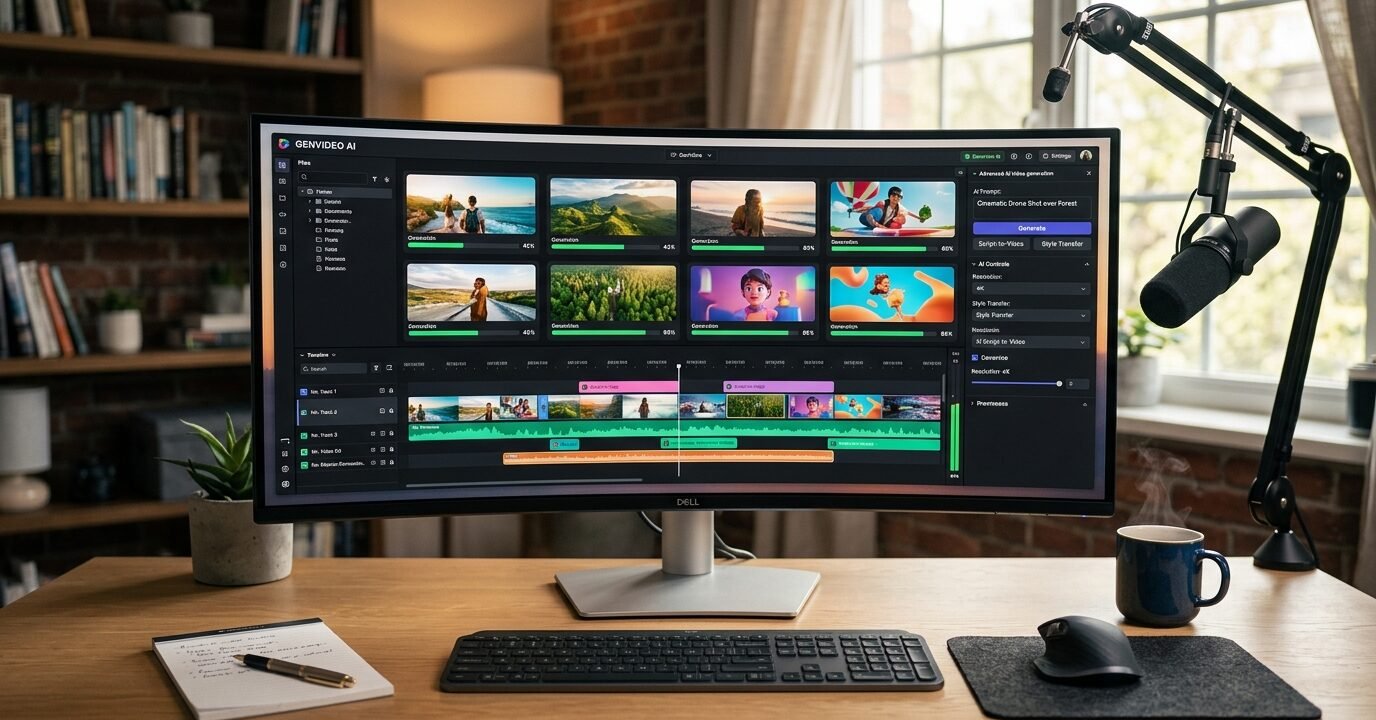
The landscape of video creation has undergone a revolutionary transformation in recent years, and 2026 marks a pivotal moment in accessible artificial intelligence technology. What once required expensive equipment, professional editing software, and years of expertise can now be accomplished with a few simple text prompts or basic inputs. The best free AI video generators 2026 has to offer represent a convergence of advanced machine learning, improved computational efficiency, and democratized access to creative tools.
For content creators, marketers, educators, and businesses of all sizes, free AI video generators have become indispensable tools. These platforms leverage sophisticated neural networks to transform text descriptions, images, or basic templates into polished video content. Whether you need explainer videos, social media content, product demonstrations, or creative storytelling, today’s AI video generators deliver professional-quality results without the traditional barriers of cost and technical complexity.
This comprehensive guide examines the leading free AI video generation platforms available in 2026, analyzing their capabilities, limitations, and ideal use cases. We’ll explore how these tools work, what sets them apart, and how you can leverage them to enhance your content strategy without impacting your budget.
Understanding AI Video Generation Technology
Before diving into specific platforms, it’s essential to understand the technology powering these remarkable tools. AI video generators utilize several interconnected technologies working in concert to produce video content.
Core Technologies Behind AI Video Creation
Modern AI video generators employ deep learning models trained on millions of video clips, images, and associated textual descriptions. These models learn patterns, motion dynamics, visual aesthetics, and narrative structures. The primary technologies include:
- Generative Adversarial Networks (GANs): These systems pit two neural networks against each other to create increasingly realistic video frames and sequences.
- Transformer Models: Similar to those used in language AI, transformers help understand context and generate coherent visual narratives from text descriptions.
- Diffusion Models: The latest generation of AI video tools often employs diffusion technology, which creates videos by gradually refining random noise into structured, meaningful content.
- Computer Vision Systems: These analyze and understand visual elements, enabling features like style transfer, object recognition, and scene composition.
The convergence of these technologies has reached a maturity level in 2026 that makes free tools genuinely useful for practical applications, not just experimental curiosities.
Top Free AI Video Generators in 2026
The market for AI video generation has expanded significantly, with numerous platforms offering free tiers. Here are the standout options that deliver the best combination of quality, features, and usability.
1. RunwayML Gen-3 Free Edition
RunwayML has established itself as a pioneer in accessible AI creative tools. Their Gen-3 video generator, available in a robust free tier, offers text-to-video capabilities that produce surprisingly cinematic results. The free version provides 125 credits monthly, translating to approximately 15-20 seconds of video generation.
Key Features:
- High-resolution output up to 1080p
- Advanced motion control and camera movement options
- Style consistency across generated clips
- Integration with editing workflows
- Community template library
Best For: Content creators who need short, high-quality video clips for social media, promotional content, or creative projects. The cinematic quality makes it excellent for establishing shots, abstract visuals, and conceptual content.
2. Synthesia Express
Synthesia has revolutionized AI avatar video creation, and their Express free tier makes professional presenter videos accessible to everyone. Rather than generating abstract scenes, Synthesia specializes in creating videos featuring realistic AI avatars that can deliver your script in over 120 languages.
Key Features:
- 60+ diverse AI avatars in the free tier
- Multi-language support with natural voice synthesis
- Template-based editing for quick production
- Brand customization options
- Screen recording integration
Best For: Educational content, training videos, explainer videos, and corporate communications. Particularly valuable for organizations needing multilingual content without hiring translators or multiple presenters.
3. Pika Labs 2.0
Pika Labs emerged as a community favorite for its exceptional ability to transform static images into dynamic video sequences. The 2.0 version has expanded capabilities while maintaining a generous free tier that refreshes weekly.
Key Features:
- Image-to-video conversion with impressive motion interpretation
- Text-to-video generation with style control
- Aspect ratio flexibility for different platforms
- Video expansion and extension capabilities
- Active Discord community for support and inspiration
Best For: Artists, designers, and marketers who want to bring static visuals to life. Excellent for animating product photos, creating dynamic social media content, and adding motion to illustrations.
4. Canva Magic Media Video
Canva’s integration of AI video generation into their established design platform creates a seamless creative workflow. The free Canva account now includes limited AI video generation capabilities alongside their comprehensive design tools.
Key Features:
- Integrated with full Canva design ecosystem
- Text-to-video with brand consistency tools
- Extensive stock footage library augmented by AI generation
- Simple, intuitive interface for beginners
- Direct social media publishing
Best For: Small businesses, social media managers, and non-technical users who need an all-in-one platform for creating complete video projects combining AI generation, templates, and traditional editing.
5. Kapwing AI Video Generator
Kapwing has built a reputation as an accessible, browser-based video editor, and their AI video generation features complement their editing suite perfectly. The free tier includes AI video creation alongside their full editing capabilities.
Key Features:
- Text-to-video with automatic scene generation
- AI script writing integrated into video creation
- Automatic subtitle generation
- Collaborative editing features
- Platform-optimized formatting
Best For: Teams collaborating on video content, YouTubers needing complete production workflows, and creators who want AI assistance throughout the entire video creation process.
Comparing Free AI Video Generator Capabilities
While all these platforms offer free access, understanding their specific strengths and limitations helps you choose the right tool for your needs.
Quality and Resolution
Most free AI video generators in 2026 support HD output (720p-1080p), though generation times and credit consumption increase with higher resolutions. RunwayML and Pika Labs generally produce the highest visual fidelity, while Synthesia prioritizes avatar realism over background detail. Canva and Kapwing offer good quality suitable for social media, though they may not match the cinematic quality of specialized platforms.
Length Limitations
Free tiers typically restrict video length significantly. Most platforms limit individual generations to 4-10 seconds, though some allow you to generate multiple clips and combine them. Synthesia stands out by allowing longer avatar presentations—up to 3 minutes in their free tier—making it more suitable for complete videos rather than just clips.
Customization and Control
The level of control varies substantially. RunwayML offers advanced parameters for motion, style, and camera movement. Pika Labs provides excellent control over how images animate. Synthesia gives precise control over avatar, voice, and script but less control over visual style. Canva and Kapwing balance ease of use with sufficient customization for most general purposes.
Practical Applications and Use Cases
Understanding how to effectively deploy these free AI video generators maximizes their value.
Social Media Content
Short-form video dominates social media in 2026. AI video generators excel at creating attention-grabbing clips for Instagram Reels, TikTok, YouTube Shorts, and LinkedIn posts. Use RunwayML or Pika Labs for eye-catching abstract or conceptual videos, Canva for brand-consistent content, and Synthesia for informational posts with a presenter.
Marketing and Advertising
Product launches, announcements, and promotional content benefit from AI-generated establishing shots, lifestyle scenes, and conceptual visuals. Combine AI-generated footage with traditional video to reduce production costs while maintaining professional quality. Synthesia avatars work particularly well for testimonial-style content and product explanations.
Education and Training
Synthesia dominates educational applications with its presenter avatars and multilingual capabilities. Create course introductions, concept explanations, and training modules efficiently. Other platforms can generate visual metaphors and illustrations to enhance learning materials.
Content Marketing
Blog posts, articles, and websites increasingly incorporate video. AI generators create supporting visuals, headers, and embedded content that increases engagement. Kapwing’s integration with content workflows makes it particularly suitable for content marketing teams.
Maximizing Free Tier Benefits
Strategic approaches help you get maximum value from free AI video generator accounts.
Plan Before Generating
Free tiers limit generation credits, so planning your content carefully prevents waste. Write detailed prompts, reference existing examples, and understand each platform’s strengths before initiating generation. Many platforms allow prompt testing or previews—use these features.
Combine Multiple Platforms
Each platform excels at different aspects. Use Pika Labs to animate your product photos, RunwayML for abstract transitions, and Synthesia for explanations. Combining outputs from multiple free tools creates richer, more varied content than relying on a single platform.
Optimize Prompts
AI video generation quality depends heavily on prompt quality. Be specific about desired motion, style, mood, and visual elements. Study successful examples in community galleries. Include technical details like camera angles, lighting conditions, and movement speed when platforms support these parameters.
Generate Strategic Assets
Focus free generation credits on assets difficult or expensive to create otherwise: establishing shots, abstract concepts, impossible scenarios, or multilingual presenter content. Use traditional stock footage or your own recordings for standard shots.
Limitations of Free AI Video Generators
While impressive, free AI video generators have constraints worth understanding.
Watermarks and Branding
Many free tiers include platform watermarks on generated videos. This may be acceptable for personal projects or social media but problematic for professional client work. Some platforms offer watermark-free exports in free tiers (like Canva for certain content), while others require paid upgrades.
Generation Credits and Queues
Free accounts typically receive limited monthly credits and may experience slower generation times during peak usage. Plan content calendars around credit refresh cycles and generate content during off-peak hours when possible.
Consistency Challenges
AI video generators can produce varying results from similar prompts, and maintaining consistent characters, styles, or settings across multiple generations remains challenging. This improves with paid tiers that offer more control, but free users should expect some variation.
Complex Scene Limitations
Intricate scenes with multiple characters, precise movements, or specific interactions often exceed current AI capabilities, even in paid versions. Free tiers may struggle more with complexity. Success rates improve with simpler, more focused scenes.
The Future of Free AI Video Generation
The trajectory of AI video technology suggests even more impressive free tools ahead. Several trends are emerging that will shape the best free AI video generators 2026 continues to offer and beyond.
Computational efficiency improvements mean platforms can offer more generous free tiers without unsustainable costs. Competition drives innovation, with platforms differentiating through unique features, quality improvements, or specialized capabilities. The integration of AI video generation into comprehensive creative platforms (like Canva’s approach) will likely accelerate, making these tools components of larger workflows rather than standalone applications.
Longer generation lengths, better consistency, improved prompt understanding, and more precise control will gradually trickle down from paid to free tiers as the technology matures. The democratization of video creation continues, empowering individual creators and small organizations to produce content that previously required substantial budgets.
Conclusion
The best free AI video generators 2026 offers represent a remarkable convergence of advanced technology and accessible tools. From RunwayML’s cinematic quality to Synthesia’s professional avatars, from Pika Labs’ image animation to Canva’s integrated workflow, today’s options provide genuine value for creators at every level.
Success with these platforms requires understanding their specific strengths, planning content strategically, and crafting effective prompts. While limitations exist—particularly around generation credits, watermarks, and consistency—the capabilities available without any financial investment would have seemed impossible just a few years ago.
Whether you’re a solo content creator building a social media presence, a marketer working with limited budgets, an educator developing course materials, or a business owner exploring video content, free AI video generators provide practical tools that deliver real results. As the technology continues evolving, these free tiers will only become more capable, making 2026 an excellent time to explore what AI video generation can do for your creative projects.
Frequently Asked Questions
Can free AI video generators create professional-quality content suitable for business use?
Yes, many free AI video generators produce professional-quality output suitable for business applications, particularly for social media marketing, internal communications, and online content. Platforms like Synthesia create presenter videos comparable to professionally filmed content, while RunwayML generates cinematic-quality footage for promotional use. However, limitations include watermarks on some platforms, shorter video lengths, and monthly credit restrictions. For high-stakes client presentations or extensive video campaigns, paid tiers offer advantages, but free versions work well for regular business content, especially when combined strategically with traditional footage.
How do I choose between different free AI video generators?
Choose based on your specific content needs. Select Synthesia if you need presenter-style videos with avatars delivering scripts, particularly in multiple languages. Choose RunwayML or Pika Labs for cinematic, abstract, or artistic video content and to animate existing images. Opt for Canva or Kapwing if you want AI video generation integrated with comprehensive editing tools and prefer an all-in-one platform. Consider trying multiple platforms since free tiers allow experimentation, and combining outputs from different tools often produces the best results. Evaluate based on your technical comfort level, desired video style, and how the platform fits your existing workflow.
What are the typical limitations of free versus paid AI video generator accounts?
Free accounts typically restrict monthly generation credits (limiting total video output), include platform watermarks, offer fewer customization options, provide slower generation speeds during peak times, and limit video length per generation. Free tiers usually include fewer AI avatars, voices, styles, or templates. Paid accounts remove watermarks, provide substantially more generation credits, unlock premium features like advanced motion control or style parameters, offer priority generation queues, enable commercial usage rights, and include customer support. However, free tiers in 2026 are genuinely functional for regular content creation, not just trials, making them viable long-term options for many users.
Do I need technical skills or video editing experience to use free AI video generators?
Most free AI video generators in 2026 are designed for users without technical backgrounds or video editing experience. Platforms like Canva and Synthesia feature intuitive interfaces with templates and guided workflows that beginners can master quickly. Text-to-video generators require only writing descriptive prompts—no coding or technical knowledge needed. However, some skill development improves results: learning to write effective prompts, understanding basic composition principles, and knowing how to combine AI-generated clips with other content enhances output quality. Most platforms provide tutorials, community examples, and prompt guides. You can start creating usable videos immediately while gradually developing skills that unlock more sophisticated results.
This article is for informational purposes only and does not constitute professional advice. Always consult a qualified professional before making decisions.















No Comments